Back to work

Data Subject Requests (DSR)

A workflow to tackle data privacy requests in organizations that need to comply with privacy laws.

Data Subject Requests (DSR) hero screenshot

Context

Any person (usually a customer, employee, partner, etc) can request a company for their personal data (or ask them to delete it or modify it). This is called a ‘Data Subject Request’ (DSR). Privacy Teams face a tight deadline of 30-45 days to fulfill this request, with serious penalties for not complying. I designed an automated DSR processing system that allows privacy officers to complete the flow in under 5 days.

“What do you know about me?” “Delete all my data.” “Don’t sell my data.”
Someone asks
Data subject
Drive CRM Chat Email Database Support HR Cloud
We check everywhere their data lives
Privacy team
Check Correct Delete Keep (legal)
We fix, remove, or hold it
Privacy team
They get an answer Share report or email of findings
Data subject

Usually, a data request form is available on a company’s website under its privacy page. Most companies store information about their customers, employees or vendors / partners in different databases, file systems, CRM tools, messaging apps, emails, etc. Usually it is this kind of sprawl that makes it difficult to quickly gather all information on a person and validate or act on it based on the request.

LightBeam solves this problem by:

  • Scanning all such data sources where information might be stored.
  • Correctly identifying the person who has requested data (by relying on information filled in the form) and quickly showing all the attributes (Identity, financial, medical, or any other information).
  • Allowing the privacy team to act on it and prepare a report to share with the data subject.

Painpoints for businesses

Data is stored in multiple applications

Personal data sits across dozens of tools. Manually scanning each is the biggest bottleneck. LightBeam automates this discovery.

Coordination across IT teams slows everything down

Processing requests requires multiple IT teams in sequence. Our workflows enable collaboration, assignment, tracking, and audit trails in one place.

Legal requirements vary by jurisdiction

Requirements vary by request type (access, deletion, etc) and jurisdiction. Our automated workflows apply the correct legal requirements instead of manual evaluation.

Our goals

Cut time per request

Drastically reduce the time it takes to complete 1 request (from 1 to 1.5 months to at least 1 week).

Fewer errors than manual

Reduce the number of errors as compared to a manual way of gathering and acting on data.

Multi-region compliance

Cater to different compliance requirements for different regulations in different countries (CCPA, GDPR, etc).

Constraints / decision drivers

  1. We had unusually strict and challenging timelines to work with in order to land or convert POCs. A lot of the design decisions were essentially about whittling down the feature to its bare minimum without losing core functionality.
  2. Customers were using manual methods or legacy products which provided them a vast degree of flexibility in some features, although they were very rarely used. During the initial design, we were forced to incorporate most of these to convince them about feature parity. While going against the instinct of keeping things simple, we had to make our workflows information and feature dense.
  3. A lot of the features which later became a core part of the workflow were added later on (e.g. automation workflow, conditional logic in forms). As a result, we were forced to make a lot of design and architecture decisions to make them seem seamless instead of retro-fitted like they were.

Workflow and design structure

Actor
Stage
Automation
Business The company
Data Subject The customer
LightBeam Our Platform Automated
Privacy team In LightBeam
Create & embed the intake form Allows the customer to create a form where a data subject can fill out information about themselves and submit a request (to know what information about them is being stored, or to ask the company to delete or modify their information).
Manual
Submit a request Fills out the form on the privacy page
Manual
Verify identity Sends a verification email automatically
Automated
Create the request Logs it in LightBeam with all metadata
Automated
Discover all data attributes (personally identifiable or sensitive information like name, age, address, SSN, credit card info, etc) Scans every data source (databases, CRM tools, messaging apps, file systems, etc) to find the data subject and their attributes.
Automated
Validate or act on the data Confirm, delete, or modify attributes
Optional
Review the report Generated automatically after validation
Automated

Initial Design Concepts

Shortcomings of initial designs

Over-optimised for collaboration

We initially designed the flow assuming multiple people would always work on a request simultaneously. A single person needed to be able to manage and fulfill a request by themselves, reliably.

Didn't work at scale

The first version was built for low volume. We had to layer in automation and bulk actions so privacy teams handling hundreds of requests a month didn’t drown.

Lack of integrations

Integrations with existing tools weren’t part of the initial design. We reshaped the flows so the solution fits seamlessly with each org’s JIRA / ServiceNow stack.

No conditional logic in workflows

Our automated workflows lacked a way to introduce conditions where the workflow needed to behave differently at different stages. This was particularly important for jurisdictions that had to be handled differently.

Solution

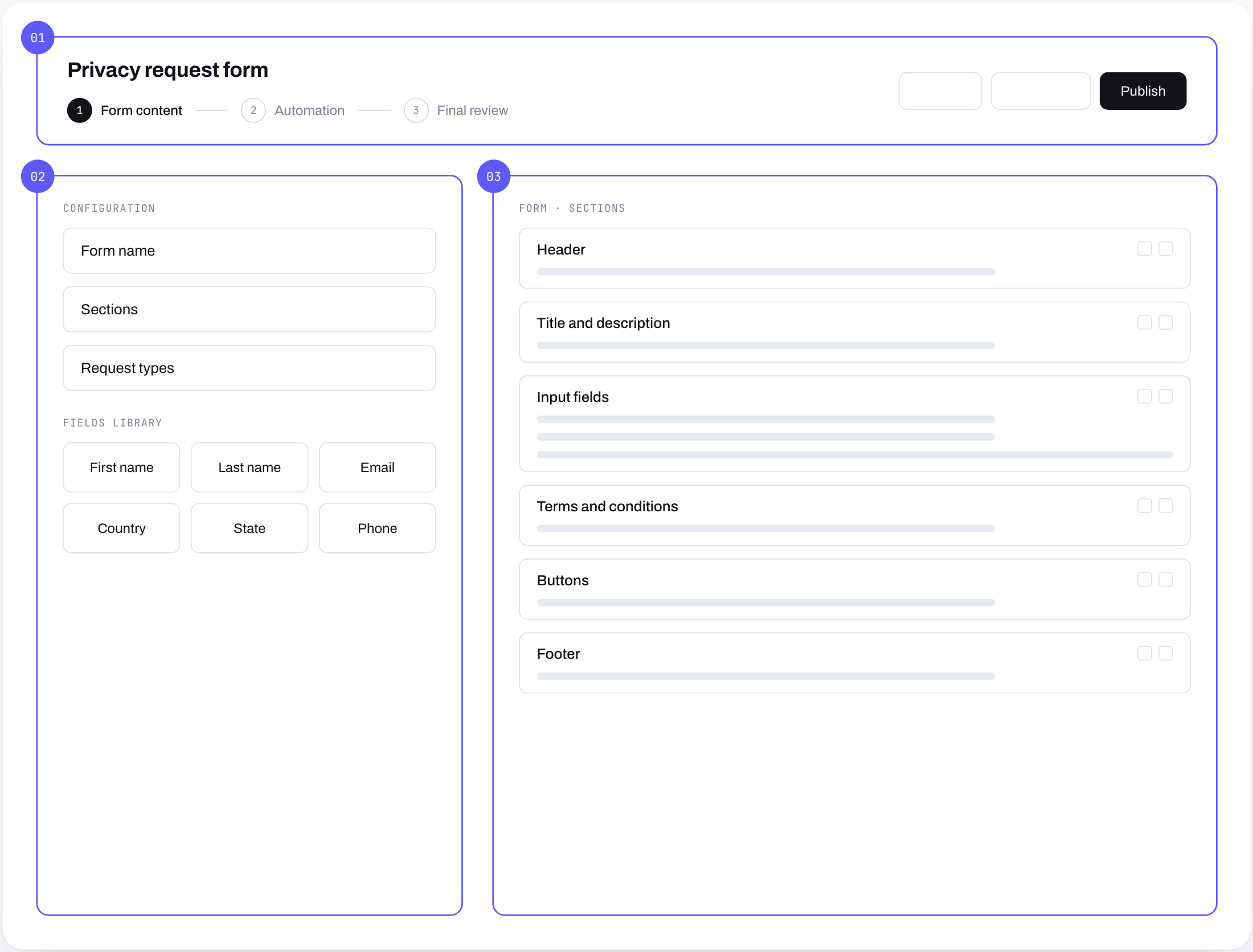
01 / INTAKE

Intake form, deployable on any website

A configurable form customers embed on their site. Single source of intake, branded per customer.

Here I am showing a way to create an input form by adding fields and then the ability to see a preview of how the form will look when deployed on the website.

02 / BULK ACTIONS

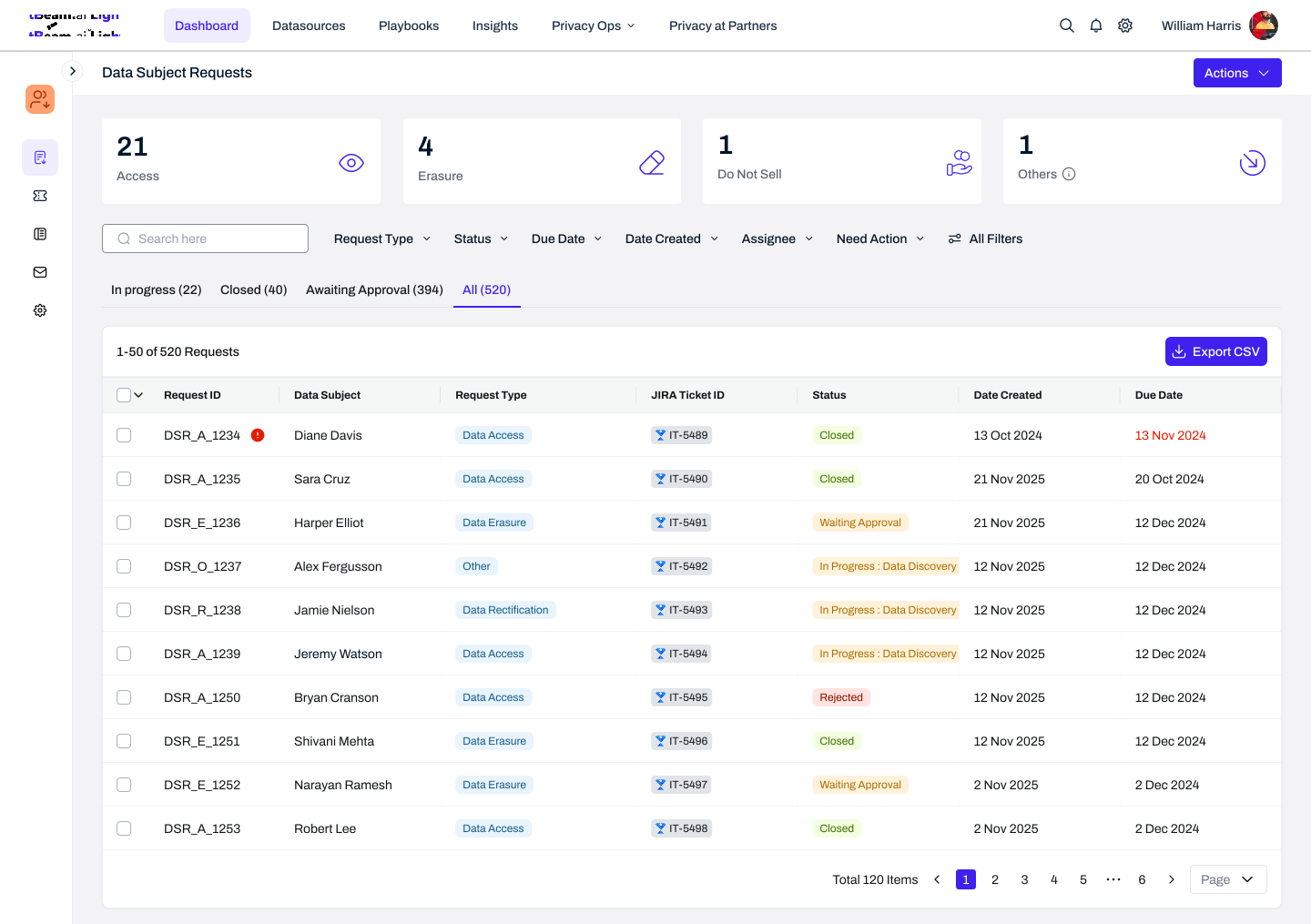
Requests list with bulk actions

When volume scales, privacy officers can sort, filter and act on requests at once. Common actions include approving or rejecting requests, sharing completed reports with data subjects and closing requests / marking them as complete.

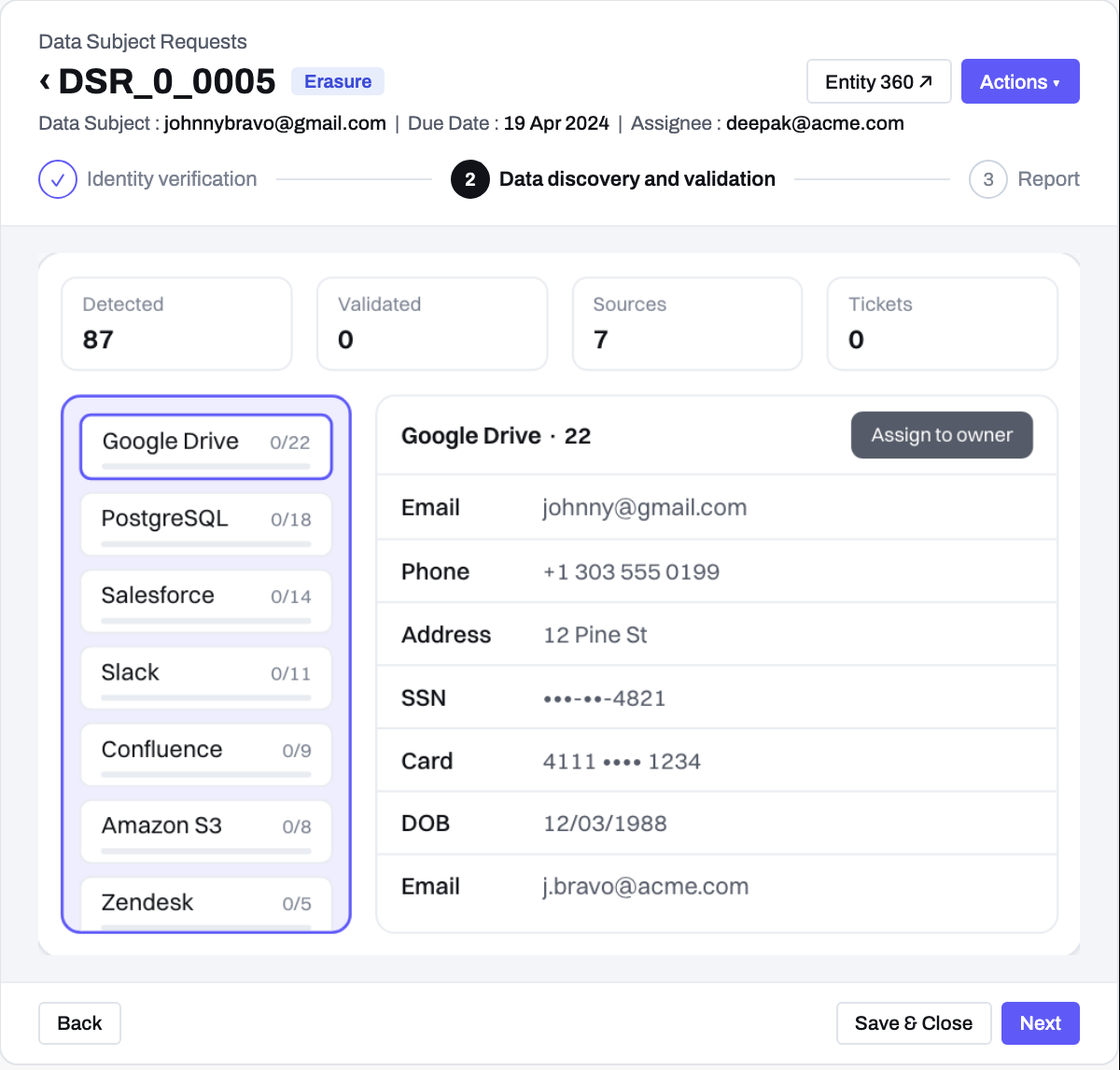
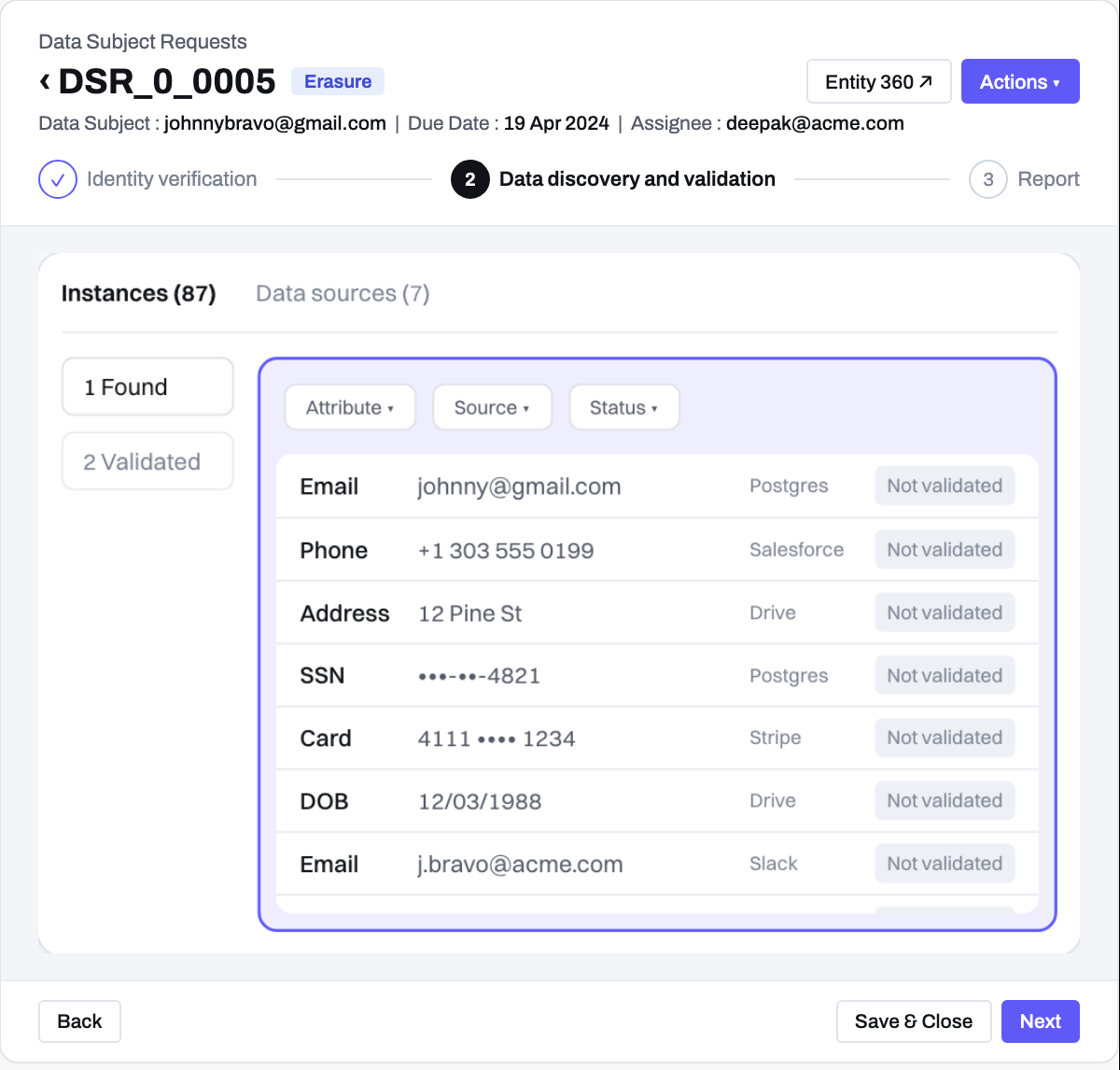
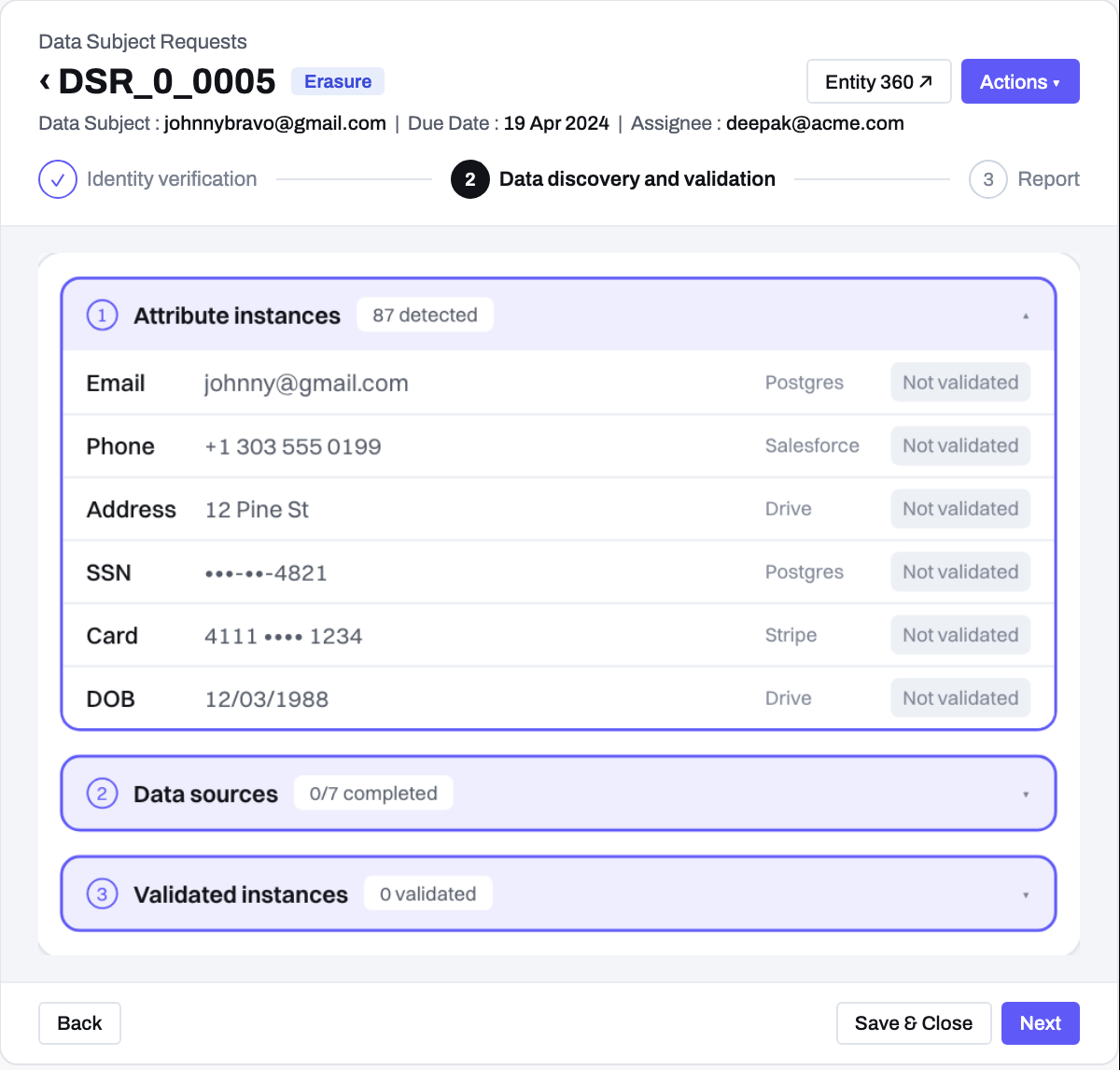
03 / DETAIL FLOW

A single request, end-to-end

Each individual request typically goes through the following steps:

  1. Identity verification and approval / rejection of the request.
  2. Reviewing and validating data that the system has found of the person making the request. This includes acting on it (e.g. deleting or modifying their data).
  3. Sharing a report with the data subject and closing the request to mark it as complete.
04 / AUTOMATION

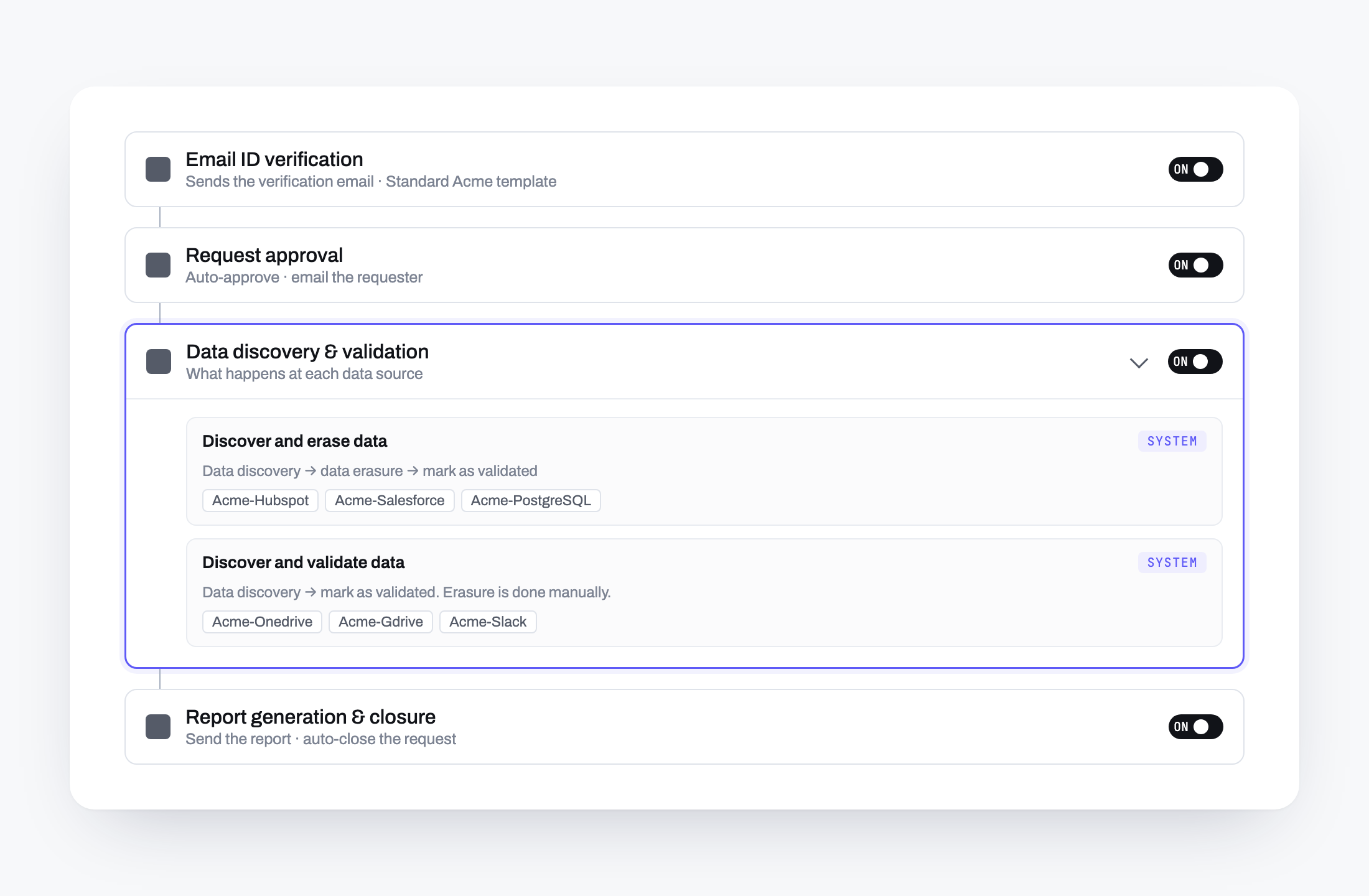
Automation workflows with conditional logic

Customers can define a workflow with conditions so most request lifecycles can handle itself. As a part of this, the customer can define what should happen to every request at every stage including testing of different conditions (e.g. where the data subject comes from or what regulation they fall under) and what should be done differently at each stage.

Impact

Customer migration from competitors

Workflows popular enough to win customers from incumbent privacy tools.

POC pipeline driven by this feature

A meaningful number of POC agreements cited this module as the deciding factor.

Deployed at scale

One customer processing 500+ requests every month on the redesigned workflow.

What I’d do differently

  1. Simplify conditional logic and automated workflows more. This flow does most of the heavy-lifting in the workflow. For customers interested in using it, the current designs are still a bit complex to understand, especially the way the if-then-else logic works.
  2. Design to fit into the customer eco-system. Initial designs didn’t have any integration like JIRA or ServiceNow where most customers track their tasks. Designing as if LightBeam was the only destination cost us some re-architecture and effort.
  3. Talk to varied set of customers. Only a handful of interviews captured only 2-3 working styles and customers’ workflows. Differing regulations and orgs with different sizes operate differently and we had to introduce a lot of flexibility in the design later on, which was not very easy to do.
  4. Champion for reduction in set-up time. As a startup a lot of the initial setup was done by the customer success team for almost all customers. This led to the overall onboarding aspect to be overlooked in my designs and I wish I had pushed back and championed for this aspect more.